
Use SoftwareApplication when the thing you are selling runs as software. Use Product when it is a physical good. For almost every B2B SaaS company that means SoftwareApplication, and a surprising number of them are shipping Product instead because a plugin made the choice years ago and nobody went back to look.
The reason this matters is not the rich result. It is that the type you declare is a plain statement of what category of thing you are, and category is the first filter an answer engine applies when it builds a shortlist. Get the type wrong and you are arguing to be included in a list you already told the machine you do not belong in.
The difference is smaller than the argument about it
Both types describe something you can buy. Both take offers, brand, aggregateRating and review. In the schema.org vocabulary SoftwareApplication is a direct child of CreativeWork, not of Product, which is the detail that trips people up. They are cousins rather than parent and child.
What SoftwareApplication adds is a short set of fields that only make sense for software. The useful ones are applicationCategory, applicationSubCategory, operatingSystem, softwareVersion and featureList. None of them have a Product equivalent. If you mark a CRM up as a Product you simply have nowhere to say that it is business software that runs in a browser, and that is the single most retrievable fact about it.
The practical test. If a buyer could not install it, log into it or call it over an API, it is probably not a SoftwareApplication. Everything else is detail.
Which one fits what you sell
Three situations cover nearly everything. The first two are straightforward and the third is where the mistakes live.
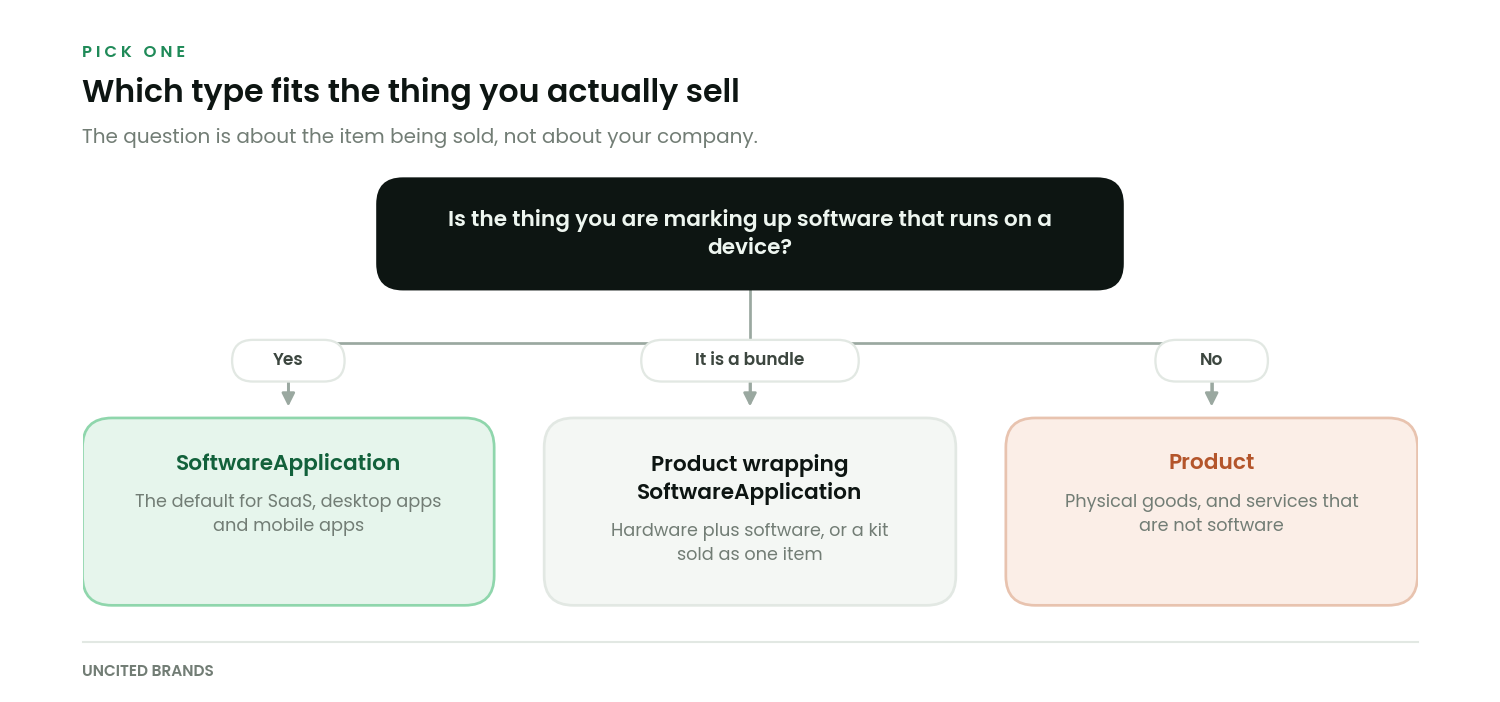
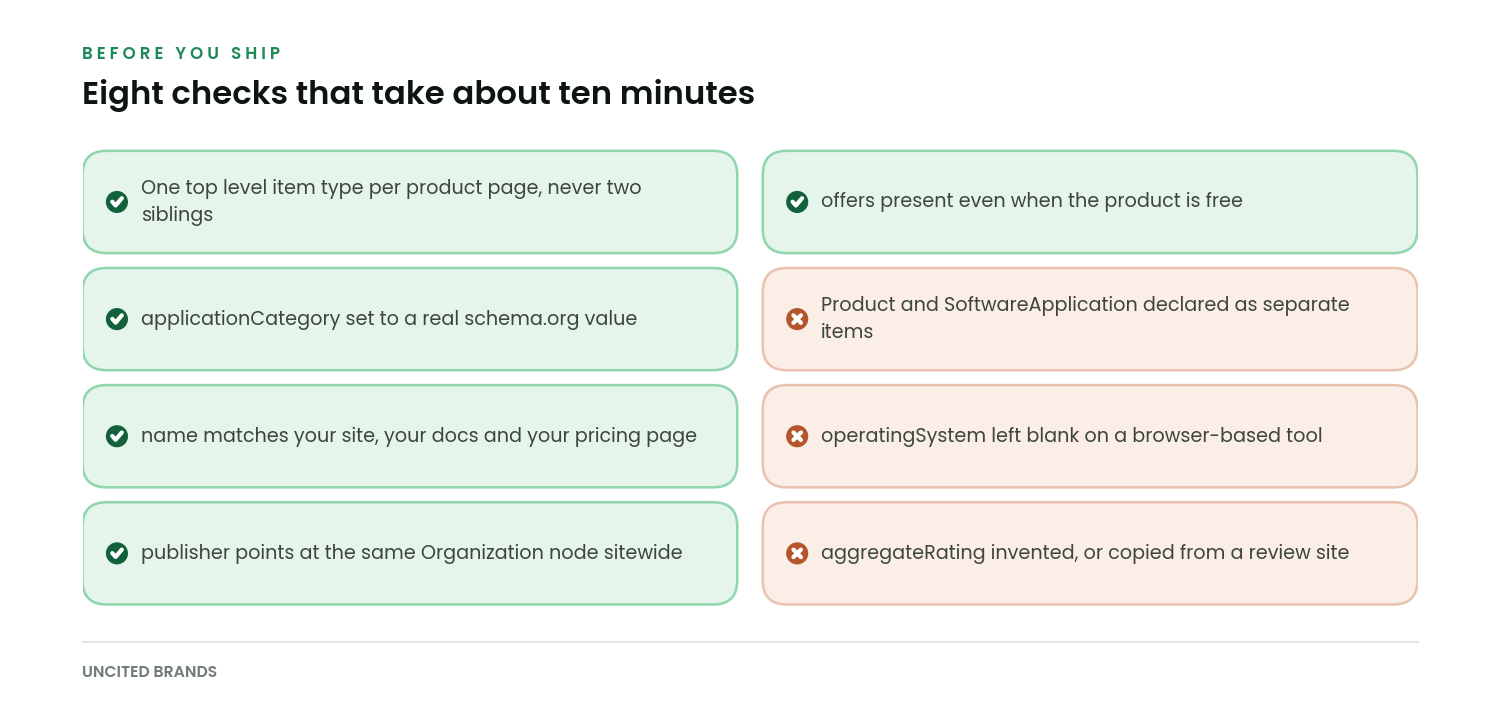
The bundle case deserves a sentence of its own, because people reach for the wrong shape. If you sell a hardware device with software attached, or a kit that includes a licence, the listing is a Product and the software is a thing inside it. Nest it. Do not declare a Product and a SoftwareApplication side by side at the top level of the same page, which reads to a parser as two separate items that happen to share a URL.
The fields that actually carry weight
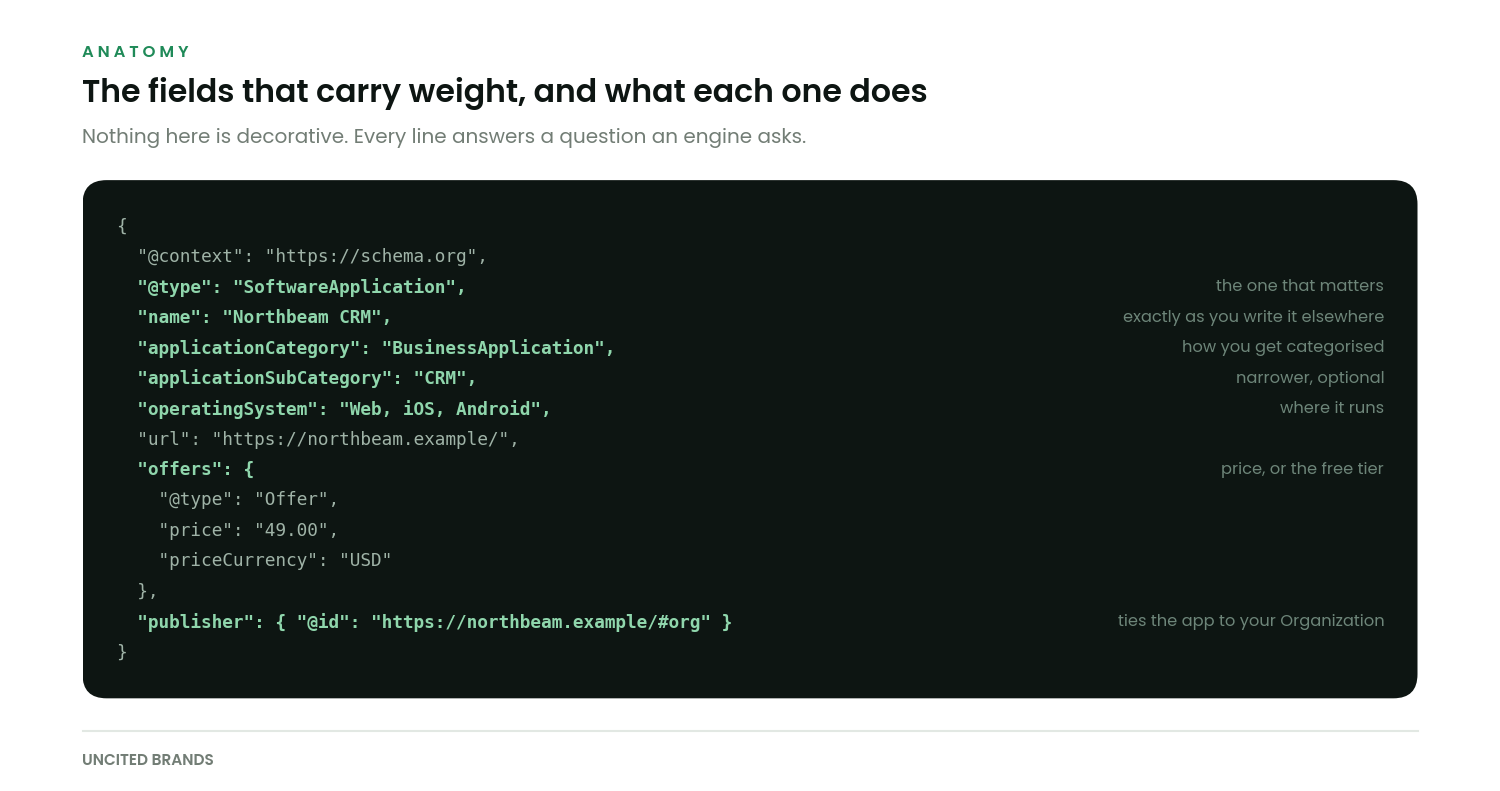
A long schema block is not a better schema block. Five fields do most of the work and the rest are polish.
| Field | Why it matters | Common mistake |
|---|---|---|
applicationCategory | The category filter an engine applies before anything else | Left blank, or set to a marketing phrase like “revenue platform” |
name | The string that has to match every other mention of you | Includes a tagline, so it never matches your docs or G2 entry |
operatingSystem | Tells the engine where the thing runs | Omitted on web apps, as though browser-based means no OS |
offers | Price, currency and availability, which buyers ask about first | Dropped entirely because the product has a free tier |
publisher or author | Links the app to the company entity you built elsewhere | Points at a different name than your Organization markup |
aggregateRating | Social proof, when it is genuinely yours | Copied from a third-party review site, which is a policy violation |
A note on applicationCategory, since it is the field people get most wrong. It takes a value from a controlled list, not free text. BusinessApplication covers most B2B tools, with DeveloperApplication, FinanceApplication and SecurityApplication available when they fit better. Put your own category name in applicationSubCategory instead, where it does no harm and occasionally helps.
We check this on every audit, and it is wrong more often than any other single field. If you want the markup on your own product pages read back to you before you change anything, we will do that pass with you.
When you genuinely need both
Nesting is the answer, and it is less work than it sounds. The Product carries the commercial facts. The SoftwareApplication sits inside it as the item being sold.
{
  "@context": "https://schema.org",
  "@type": "Product",
  "name": "Northbeam Field Kit",
  "brand": { "@id": "https://northbeam.example/#org" },
  "offers": {
    "@type": "Offer",
    "price": "1290.00",
    "priceCurrency": "USD"
  },
  "isSimilarTo": null,
  "itemOffered": {
    "@type": "SoftwareApplication",
    "name": "Northbeam CRM",
    "applicationCategory": "BusinessApplication",
    "operatingSystem": "Web, iOS"
  }
}
If you are writing JSON-LD by hand rather than through a plugin, the W3C specification for JSON-LD 1.1 is worth ten minutes of your time, particularly the section on node identifiers. Using @id consistently is how you stop a crawler inventing three versions of your company from three pages. The community site has a playground that is faster for testing a fragment than deploying it.
What goes wrong in practice
Four failures account for most of what we see.
- The plugin decided. Many WordPress and Shopify schema plugins default to Product because their main audience sells things in boxes. The output is valid, so nothing warns you.
- Two top level items. A theme emits Product, a plugin emits SoftwareApplication, and the page now describes two entities. Engines resolve this badly and inconsistently.
- The name drifts. Markup says “Northbeam CRM Platform”, the pricing page says “Northbeam”, the docs say “Northbeam CRM”. Three strings, and a machine has no way to know they are one product.
- Ratings that are not yours. Pulling an aggregateRating from a review site into your own markup breaks Google’s structured data policy for software apps, and it is the kind of thing that gets a manual action rather than a quiet demotion.
How to check you got it right
Validation tools tell you whether the syntax parses. They do not tell you whether you said something true or useful. Both matter, so run the syntax check and then read the output as a sentence.
For syntax, the rich results test and the schema.org validator disagree often enough that running both is worth the extra minute. Bing reads the same vocabulary and reports on it inside Bing Webmaster Tools, closely enough that you rarely need to serve different markup to each.
The sentence test is the one people skip. Read your JSON-LD out loud as plain English. “Northbeam CRM is a business application that runs on the web and in iOS, costs forty nine dollars a month, and is published by Northbeam.” If that sentence is true and a buyer would recognise it, the markup is doing its job. If it comes out as “Northbeam is a product”, you have more work to do.
Schema is also not a substitute for the page saying the same thing in words. Markup repeats a claim in a machine-readable form. It cannot introduce one. If your pricing page does not state a price, adding a price to your markup is a fiction that will eventually be checked against the page, and the page is what wins.
Related reading
- Schema markup for AEO. Which types are worth your time and which are theatre.
- Organization schema. The company-level markup this product markup should point at.
- The technical playbook. Where schema sits in the order of work, which is later than most people put it.
- Answer-first writing. The prose habit that does more than any markup change.
Pick the type once, then make everything else agree with it.
The markup is twenty minutes of work. Making your product name identical across your site, your docs, your pricing page and every directory listing is the part that takes a fortnight, and it is the part that moves anything.
We send one short piece a week on this kind of detail, usually with the test that produced it. Subscribe here if that is useful to you.

Shaban runs answer engine optimisation for B2B SaaS companies at Uncited Brands. He works the unglamorous end of the problem, mostly crawler access, retrieval diagnostics and measurement baselines, and publishes the tests that do not go his way alongside the ones that do.